

Introduction
Cold calling often feels like playing darts in the dark. Calls go out, a few land, some meetings appear, and no one really knows why. With smart cold call tracking, that same dartboard lights up. Every throw, every hit, every miss turns into clear data that guides the next move.
The myth that cold calling is “dead” has been around for years, yet buyers say something very different. Research shows that 57% of senior-level buyers still prefer to be contacted by phone. The problem is not the channel. The problem is running cold calling as a volume game instead of an intelligence game, with no serious way to track sales calls or measure what actually works.
In 2026, the gap between teams that track cold calling data and those that rely on gut feel is wider than ever. The first group runs on integrated CRMs, real-time dashboards, and clear cold calling metrics. The second group still lives in scattered notes, half-filled cold call tracking sheets, and “I think this is working.” One group gets predictable pipeline and revenue. The other gets surprises.
This article walks through what modern cold call tracking really is, how it impacts revenue, which tools and metrics matter, and how to turn raw sales call data analysis into coaching, better customer experience, and confident forecasting. By the end, a cold call will no longer be a random event. It will be one visible step inside a repeatable, measurable revenue engine.
Key Takeaways
Smart cold call tracking turns calling from guesswork into a clear system, where every dial, conversation, and outcome is visible and easy to review. It replaces opinions with facts.
Teams that track sales calls in a structured way often see double-digit gains in connection and conversion rates within a few months, simply by fixing what the data exposes.
The strongest programs combine software and human skill, where reps use H2H-style conversations and managers use sales call analytics to coach, not to micromanage.
Real-time dashboards give leaders live visibility into outbound call metrics, so they can spot issues in days instead of quarters and adjust targets, lists, or scripts quickly.
When tracking feeds forecasting, sales leaders can model revenue based on real conversion funnels rather than hope, which supports better hiring, budgeting, and growth plans.
What Is Cold Call Tracking And Why It Matters In 2026
Cold call tracking is the structured way a company captures, organizes, and analyzes everything that happens during outbound calls. It covers who was called, when, how long the call lasted, what was said, how the prospect responded, and what happened next in the sales process. Instead of random notes on sticky pads, the data lives in one place and flows through a clear process.
Many teams started with a simple cold call tracking spreadsheet. That basic cold call tracking sheet counted dials and maybe a few outcomes. In 2026, leading teams use connected systems where the CRM, dialer, and reporting tools keep sales activity tracking up to date in real time. The shift is from static logs to living sales call analytics that change as reps work through their day.
There is also an important difference between activity tracking and outcome tracking. Activity tracking covers dials, talk time, and number of contacts reached. Outcome tracking focuses on cold call conversion tracking: meetings booked, opportunities created, revenue won, and time to close. Both matter. Activity shows effort; outcomes show impact.
Modern cold call tracking sits at the center of serious sales operations for another reason. Remote teams, tighter buying groups, spam filters, and heavy gatekeeping all make outreach harder. Without clean cold calling metrics, leaders cannot see where the real friction lives. With a good system, they can see that early mornings in one region work best, or that one segment books twice as many demos as another. Most important, tracking does not exist to watch reps. It exists to remove busywork, give better coaching, and turn every call into data that guides smarter decisions.
The Revenue Impact And How Tracking Changes Cold Calling ROI
Running a calling program without clear tracking is like running paid ads without reporting. Money goes out, some deals appear, and no one can explain which calls drove them. The hidden cost of this “flying blind” approach is huge. Reps call the wrong lists, repeat failed openers, and miss follow-ups that were promised weeks ago, while leaders hope next month will look better.
“You can’t manage what you don’t measure.” — often attributed to Peter Drucker
When teams commit to real cold call tracking, several numbers start to move:
Connection rates rise as they test different call times and caller IDs.
Conversation-to-meeting ratios climb as they see which questions and value points land with each segment.
Sales cycle length often shrinks because follow-ups are set and completed on time.
Even a small lift in two or three of these outbound call metrics compounds into a much stronger pipeline.
Good tracking also makes cost-per-acquisition and CAC real, not guesses. When every step of the funnel is visible—dials to connections, connections to meetings, meetings to opportunities, opportunities to closed deals—it becomes possible to say, “It takes X calls and Y hours of SDR time to win one customer at Z average deal size.” That clarity changes how leaders budget, set targets, and defend spend.
Resource allocation also improves. With strong sales performance tracking, leaders see which lead sources, industries, and titles convert at the highest rate. They see which SDRs excel at certain segments, and when the team’s energy peaks and dips. At Superhuman Prospecting, for example, clients often start with hazy expectations. Once they see data inside the Supervision dashboard, they can shift budget toward segments and appointment types that deliver the highest ROI. Over quarters, the compounding effect is real: better lists, better scripts, and better coaching driven by data, not guesswork, build a long-term revenue asset rather than a short-term calling blitz.
Essential Components Of A Modern Cold Call Tracking System

A modern cold call tracking system is more than a phone and a spreadsheet. It is a simple but powerful stack where a CRM, a dialing tool, and an integration layer work as one. The goal is not to add more software. The goal is to make every call and outcome flow into a single record that anyone on the team can understand.
The CRM acts as the home base where all prospect and customer records live. The dialing platform handles the calls and feeds back activity. A Computer-Telephony Integration (CTI) or native link between the two keeps data in sync, so reps do not need to jump between tabs or enter the same details twice. When this trio works well, sales reps can focus on talking while the system handles sales activity tracking in the background.
In 2026, most teams lean on cloud-based tools so remote and hybrid staff can work from anywhere. Mobile access matters, as does support for call recording and consent across states and countries with different laws. At the same time, leaders must balance detail with simplicity. The best cold call tracking setups match the team’s size and experience, so reps can use them every day without feeling buried in fields and screens.
Customer Relationship Management (CRM) As The Hub
The CRM is the central place where every contact, company, deal, and interaction is stored. For cold calling, it holds phone numbers, roles, past conversations, email threads, meetings, and deal stages. When cold call tracking is set up well, a rep can open one record and see the full story for that prospect in seconds.
Key CRM features for cold calling include:
Contact and account management
Activity logging and call outcome tracking
Pipeline views and deal stages
Task and follow-up automation
Some teams work only with contacts, using fields like Lead Status and Lifecycle Stage to move people from new lead to marketing qualified to sales qualified. Others create deals earlier, so each opportunity holds all calls and emails for that account. Neither model is right or wrong. The right choice is the one that gives clear reporting and keeps the pipeline easy to read.
Clean data is where many teams struggle. A CRM only works if reps log call outcomes and notes every time. That means capturing whether a call connected, what the person said, what matters to them, and what happens next. Platforms like HubSpot, Salesforce, and Pipedrive are popular not just because of features, but because they connect well with dialers and reporting tools. When all of this ties together, the CRM turns into a reliable base for segmentation, cold calling metrics, and day-to-day calling lists.
Dialing Software And VoIP Tools
Dialing software is the engine that drives outbound calls. Instead of picking up a desk phone and punching in numbers, reps click to call directly from the CRM or a browser app. Voice over Internet Protocol (VoIP) tools handle the audio and display a clean business number, often with local presence to boost answer rates.
Modern dialers offer power dialing, where the next number appears as soon as a call ends, and predictive dialing for higher-volume teams. Features like voicemail drop save huge amounts of time, since reps can send a pre-recorded message with one click and move on to the next call. Some platforms show scripts and talking points on screen, keeping reps aligned with a tested H2H-style message.
Collaboration features also play a part. Reps might transfer live calls to account executives, add shared notes, or flag calls for coaching. Quality and compliance options such as call recording, pause-and-resume for payment data, and do-not-call list checks are now standard. Popular tools like RingCentral Engage Voice, Aircall, Kixie, JustCall, CloudTalk, and others connect closely with CRMs, giving teams a modern way to track sales calls without adding friction.
Computer-Telephony Integration (CTI)
Computer-Telephony Integration sits between the CRM and the dialer. In many setups, it is the glue that makes cold call tracking feel smooth for reps. When a call starts or comes in, a small panel pops up on the screen with the contact’s name, company, recent activity, and any open tasks.
From this panel, the rep can pick a call outcome, write notes, schedule a follow-up, and link the call to the right deal, all without flipping between browser tabs. Once the call ends, everything syncs back to the CRM automatically. That reduces missed logs and keeps the sales call analytics clean for managers.
Some teams use a dedicated CTI platform such as Tenfold. Others rely on native links inside their CRM or dialer. A separate CTI layer often makes sense when a company has complex routing, multiple phone systems, or several CRMs. For simpler setups, native integrations give enough power without adding more moving parts.
Critical Features To Look For In Cold Call Tracking Software
Choosing cold call tracking software is not only about checking a features list. The real test is whether sales reps will use it every day and whether leaders can trust the data that comes out. If a platform feels heavy or confusing, it will sit in the background while reps keep their own side spreadsheets and notes.
Ease of use should come first. Reps need a clear path to start a call, see the right information, log the outcome, and move to the next person. Managers need simple dashboards that show activity, conversion rates, and pipeline from calls. Both groups need a mobile app that lets them work cleanly while traveling or working remote.
Integration also matters. Cold call tracking works best when the dialer and CRM work together, calendar and email share data, and team chat tools show alerts for booked meetings and missed high-value calls. A strong integration setup turns the tracking platform into a hub for sales work instead of yet another tab to manage.
Cost is more than just the per-seat license. Leaders should think about ramp time for reps, internal admin time, training support from the vendor, and contract terms. Month-to-month options, like those offered by Superhuman Prospecting for SDR services, keep teams flexible as they test and refine their outbound model. The best tools pay for themselves fast through better conversion, cleaner data, and less admin work.
Ease Of Use And Intuitive Interface
If software feels clunky, reps avoid it, and tracking falls apart. A good interface guides reps through their day with:
Clear calling queues
One-click calling and logging
Simple ways to add notes and schedule follow-ups
It should work well for short, fast-paced calls as well as longer discovery conversations.
Managers look for dashboards they can read in seconds, without needing a data analyst. Adding users, adjusting permissions, and building standard reports should take minutes, not hours. Onboarding time matters too. Vendors that provide video walkthroughs, in-app tips, and live training help teams get value faster.
Customization should be possible without heavy IT work. Simple changes such as adding a new call disposition, tweaking a field, or building a new view should be in reach for a sales ops leader, not a developer. When the system stays simple, adoption rises and cold call tracking data stays reliable.
Strong Integration Options
Without strong integrations, even the best dialer or CRM becomes a silo. At minimum, the tracking platform must sync with the primary CRM so that calls and notes appear on the right records. This bi-directional link lets reps use click-to-call from the CRM and see full history while they talk.
Integration with Google Calendar or Outlook keeps meeting scheduling smooth. When a rep books a demo, the event should land on both calendars and attach to the right contact or deal. Email integration supports multi-channel outreach, logging both calls and emails in one timeline.
Team chat tools such as Slack or Microsoft Teams also play a role. Alerts for new meetings, hot leads calling back, or missed high-value calls keep everyone aligned. For more advanced setups, links with sales engagement platforms like Outreach or SalesLoft fold calls into larger cadences, all tracked in one place. An open API is a strong sign that the vendor will stay flexible as your stack grows.
Comprehensive Metric Tracking And Analytics
The heart of cold call tracking is measurement. The software should provide real-time dashboards that show dials, connections, meetings, and pipeline created at both rep and team levels. Leaders should be able to filter by date range, list, segment, or SDR to see patterns.
Custom reports allow different views for reps, managers, and executives. Reps might track daily activity and meetings booked. Managers look at conversion between stages and call quality indicators. Executives care about pipeline and revenue sourced from cold calling. Period-over-period comparisons make it clear whether changes in script, list, or timing are helping.
Export options help when teams want deeper analysis in BI tools. Some platforms even offer industry benchmarks so leaders can see how their connection rates or booking rates compare to similar teams. Mobile access to these metrics helps managers coach and decide on the go.
Call Recording, Transcription, And Storage
Recorded calls are vital for training, quality control, and dispute resolution. A strong platform records calls automatically when allowed, with clear controls for consent by region. Reps and managers should be able to search a library of calls by contact, deal, rep, keyword, or date.
AI-powered transcription makes review much faster. Instead of listening to every second, coaches can scan text, jump to key moments, and spot patterns in common questions or objections. Conversation intelligence layers such as sentiment, talk-to-listen ratio, and keyword spotting add more insight.
Tight links between the recording system and the CRM mean each file sits on the right record. Clear retention rules and storage plans keep costs in check while meeting legal needs. Well-organized recordings help new hires learn fast and give leaders real examples of what “good” sounds like.
Scalability And Growth Readiness
The tool that fits a three-person SDR team may struggle when the team grows to fifteen reps across regions. Sales leaders should review how easy it is to add users, assign roles, and support multiple teams within one account. Performance should stay steady as call volume and data size rise.
Global calling brings extra needs, such as local numbers in other countries, time zone handling, and support for more than one language. Pricing tiers should let teams grow without jumping straight into enterprise plans for basic features. A clear product roadmap and stable vendor also matter, so you are not forced into another migration just as your data becomes valuable.
Setting Up Your Cold Call Tracking Infrastructure
Putting a cold call tracking system in place starts long before any software is installed. The first step is to decide what the calling program should achieve and which numbers will show progress. Only then does it make sense to pick tools and wire them together.
Clear goals might include:
New meetings per month
Qualified opportunities created from cold calls
Revenue sourced from outbound
From there, leaders define which cold calling metrics will guide daily work: dials, connection rate, meetings per conversation, and so on. These choices shape both process and reporting.
Change management is often the hardest part. Reps might be used to their own style and personal trackers. To get buy-in, leaders should explain why tracking matters, how it helps reps hit quota, and how it ties to coaching instead of control. A thoughtful rollout plan, with pilots and feedback loops, helps the new system stick.
Define Your Workflow And Data Structure
Before touching tools, decide how leads will move through the system. Some teams treat prospects as contacts only and create deals only when a meeting is booked. Others open a deal at the first serious conversation. The choice affects how clean the pipeline looks and how easy it is to report on early-stage activity.
Next, define lifecycle stages or lead statuses that match your process, for example:
New
In Progress
Follow-Up Scheduled
Qualified
Disqualified
Alongside them, set a simple, standard list of call dispositions such as Connected Interested, Connected Not Interested, Left Voicemail, Gatekeeper, or Invalid Number. Reps pick from this list after every call.
Decide which fields are required when certain outcomes occur. For example, a Connected Interested call might require notes about pain points, timeline, and budget indicators. A Qualified status might require firm size, industry, and decision-maker role. Also decide how you will segment leads by industry, size, role, or source so you can build targeted calling lists later. Finally, set follow-up standards and SLAs, such as “all interested callbacks scheduled within two business days,” and routing rules when multiple reps share territory.
Select And Integrate Your Technology Stack
With the workflow clear, it is time to choose tools that fit it. Use the earlier feature checklist to compare vendors: ease of use, integration depth, reporting, recording, and mobile access. Shortlist a few options, then run demos focused on how your real process would run inside each platform.
A pilot with a small group of reps is a powerful way to spot gaps. During the pilot, connect the dialer to your CRM through native links or a CTI, set up automatic call logging, and turn on recording where allowed. If you are moving from a legacy system or manual cold call tracking spreadsheet, plan a clean data import with deduping.
Before rolling out to the whole team, test common workflows end to end. Call from a lead list, log a follow-up, book a meeting, create a deal, and see how it reports. Set up basic backup and recovery options for critical data. Catching issues now saves headaches later when the whole team depends on the system.
Train Your Team And Establish Standards
Even the best setup fails if people use it in ten different ways. Training should cover both how the tools work and why certain fields and steps matter. Show reps how clean tracking supports better coaching, more accurate goals, and higher close rates.
Provide simple guides with screenshots for everyday tasks such as starting a call block, logging notes, and creating tasks. Run role-play sessions inside the live system so reps practice moving from prospecting to follow-up while entering data the right way. This keeps training grounded in their real work.
Set clear expectations for what must be logged and when. For example, every call should have a disposition selected before moving on. Every interested prospect should have next steps and key notes on the record. Appoint a few “power users” or champions inside the team who can help peers and pass feedback back to sales operations. Plan regular refreshers and share updates as you refine fields, scripts, or metrics.
Best Practices For Cold Call Data Management
Once the system is live, the real work begins. Cold call tracking only pays off when the data stays clean, current, and rich enough to guide decisions. Poor data leads to weak analytics, bad coaching, and lost trust in reports.
Good data management focuses on three things:
Organize leads so reps always know who to call next and why.
Capture call outcomes and notes in a consistent way so patterns appear in the numbers.
Keep the database tidy over time, fixing duplicates and old records before they cause confusion.
These practices turn raw activity logs into a long-term asset. Over months and years, well-managed cold call tracking data helps refine the Ideal Customer Profile, adjust talk tracks, and decide where to expand or pull back.
Segment And Prioritize Your Lead Lists
Before loading contacts into the CRM, break them into logical groups. Start with firm basics such as industry, company size, and location. Layer in job role, seniority, and lead source, such as event, partner, or pure outbound. This early work prevents random “spray and pray” dialing.
Inside the CRM, use tags, custom fields, or saved views to keep these segments clear. Then build call lists that match rep skill or focus areas. One rep might handle mid-market IT leaders, while another takes small local businesses. For larger accounts, treat each company as its own mini-plan with several contacts and a coordinated approach.
Add prioritization with simple lead scoring. Score based on firm fit and engagement signals like website visits or email opens. High-scoring leads move to the top of daily call queues. Targeted scripts for each segment make conversations more relevant and efficient, driving better cold call conversion tracking.
Log Detailed Call Outcomes And Notes Consistently
A call without a log is invisible. A call with a vague log is almost as bad. Build the habit that every rep logs the outcome and notes immediately while the call is still fresh. The standard disposition list helps aggregate reporting, while notes tell the story behind the numbers.
Teach reps to write short but clear notes that cover pain points, goals, objections, and any promises made. If a prospect mentions a competitor or a current vendor, record that too. When a call moves the person closer to a meeting, capture any timing or budget hints using a simple BANT-style frame.
Always record the next step, even if it is months away. For example, “Check back in October after contract review,” with a matching task and date. Managers can spot-check a few records each week to make sure notes have enough detail. Over time, this discipline feeds smarter sales call analytics and smoother handoffs between SDRs and account executives.
Implement A Rigorous Follow-Up System
Many deals are lost not to “no,” but to “forgotten.” A strong follow-up system turns positive cold calling metrics into real pipeline. Every interested call should end with a clear next step and a matching task in the CRM.
Tasks should be specific, such as “Send case study to Sam” or “Call Alex to confirm budget,” with due dates. Daily, each rep should review and clear their task list before chasing brand-new leads. Automated reminders through email, desktop, or mobile alerts help keep commitments front and center.
For high-value accounts, build light automation. For example, when a call is logged as “Interested, needs info,” trigger a short email sequence with content that matches the topic. Managers should watch follow-up completion rates and help reps adjust their workload if important tasks slip.
Maintain Clean, Centralized Data
Over time, even the best systems collect clutter. People change roles, phone numbers go stale, and records get created twice. Set a regular schedule, such as monthly or quarterly, to clean data. Merge duplicates, update bad phone numbers, and mark dead leads as such instead of letting them sit in limbo.
Store call recordings, proposals, and key documents on the correct contact or deal records, not in random folders. Use role-based permissions so sensitive data stays in the right hands while still giving reps enough access to do their job. Stay aligned with privacy rules like GDPR and CCPA by honoring opt-outs and retention windows.
By keeping everything inside one central system, reps trust the data they see, and leaders trust the reports they run. That trust is the base for serious sales performance tracking and planning.
Key Metrics Every Sales Leader Must Track

Tracking every possible number can drown a team in noise. The goal is to focus on a small set of metrics that tell a clear story from first dial to closed deal. These can be grouped into three main types—activity, effectiveness, and conversion—plus a few diagnostic stats that highlight trouble spots.
“Coaching without data is just opinion; data without coaching is just noise.” — shared wisdom from many sales leaders
To keep things simple, think of metrics like this:
|
Metric Type |
Example Metrics |
Why It Matters |
|---|---|---|
|
Activity |
Dials per day, talk time, contacts reached |
Shows effort going into outreach |
|
Effectiveness |
Connection rate, call duration, meetings per conversation |
Shows how well conversations are handled |
|
Conversion |
Meetings to opportunities, win rate, dials-to-closure ratio |
Ties cold calling to pipeline and revenue |
|
Diagnostic |
Voicemail rate, wrong number rate, follow-up adherence |
Points to data, process, or training gaps |
Baseline numbers come first. Once the team has a month or two of stable data, leaders can set realistic improvement targets. The danger is to chase vanity metrics that look good on a slide but do not predict revenue. The goal is always to understand which cold call tracking numbers move deals forward.
Activity Metrics For Measuring Effort And Volume
The simplest activity metric is call volume: how many outbound dials each rep makes per day or week. For many SDR teams, that target falls somewhere between 60 and 100 dials per day, adjusted for deal size and research time. This number keeps effort at the right level, but by itself does not say whether the calls are useful.
Calls-to-contact ratio, or connection rate, shows how many of those dials reach a live human instead of voicemail or wrong numbers. Many teams see rates between five and fifteen percent, driven by list quality, timing, and use of local presence dialing. A low connection rate is a red flag that something is off before the sales pitch even starts.
When activity and connection metrics sit side by side, it becomes easier to see whether the team needs better data, better timing, or simply more calling time. This balance keeps activity from becoming a vanity metric and anchors cold call tracking in real contact with prospects.
Effectiveness Metrics For Conversation Quality
Once a rep reaches someone, the question becomes how good that conversation is. Average call duration is one basic clue. Very short calls may mean reps are not earning a second sentence. Very long calls with no clear outcome may signal a need for better call control. Context matters. A ninety-second call that books a demo is great; a fifteen-minute chat that ends with “send me something” is less helpful.
Gatekeeper pass-through rate measures how often reps make it past assistants and receptionists to the decision-maker. Teams can improve this by testing different call times, researching direct dials, and using more human, H2H-style openers that build quick rapport. Tracking this metric over time shows whether training on gatekeeper handling is working.
Conversation-to-meeting ratio is one of the most important effectiveness numbers. It shows what share of real conversations with the right persona turn into demos or discovery calls. For well-targeted lists and decent scripts, this may land between twenty and forty percent. Newer conversation intelligence tools also track talk-to-listen ratio and number of questions asked per call. Strong calls often show reps talking less than half the time and asking thoughtful questions that uncover real needs.
Conversion Metrics For Revenue Impact
Conversion metrics connect all that activity and conversation quality to real business results. Lead-to-opportunity conversion rate shows what portion of contacted leads become qualified deals in the pipeline. It reflects both lead quality and SDR qualification skill. If this number is low while connection rate is high, list quality or messaging might be off.
Opportunity-to-close ratio, often called win rate, shows how many of those opportunities end as closed-won. Comparing win rates of cold-sourced deals against inbound or referral deals helps leaders judge the strength of their outbound program. If win rates are similar but outbound volume is low, investing more in cold calling makes sense.
Dials-to-closure ratio is a powerful roll-up metric. It shows how many calls it takes, on average, to win one customer. From this, leaders can estimate cost per acquisition from cold calling by factoring in SDR time, tool costs, and overhead. Looking at average deal size, sales cycle length, pipeline value created per rep, and cost per qualified opportunity completes the picture. These numbers make ROI discussions clear and calm.
Diagnostic Metrics For Continuous Improvement
Some metrics exist mainly to point toward problems. Voicemail rate, for instance, tracks how many calls land in voicemail. Very high rates may signal poor timing or stale data. Wrong number or invalid contact rate points straight to data quality issues that need list cleanup or a better provider.
Tracking objection frequency by type helps marketing and sales enablement teams respond with better talk tracks and content. Follow-up adherence rate shows what share of scheduled tasks are completed on time. Weak follow-through can erase the benefit of great first calls.
Best time to call analysis looks at conversion rates by hour and day, helping teams focus their energy where it pays off. Understanding The Best Time To cold call can significantly improve connection rates and overall campaign effectiveness. Rep performance distribution highlights top, middle, and bottom performers, guiding coaching and peer learning. These diagnostic numbers keep cold call tracking from becoming static and push the team toward steady improvement.
Turning Data Into Actionable Insights And Revenue

Collecting data is easy. Turning it into better conversations, stronger teams, and more revenue takes intention. The key is to treat your cold call tracking system as a feedback loop, not just a record of what happened.
At the individual level, data shows where each rep shines and where they stall. At the team level, it reveals which scripts, segments, and cadences work best. For prospects and customers, smart use of data leads to smoother, more personal experiences. For the business as a whole, it supports clearer forecasts and smarter bets.
The best sales organizations build a culture of testing. They use cold calling metrics to try small changes, measure impact, and keep what works. Over time, this creates a flywheel where every month’s results improve the next month’s plan.
Individual Rep Coaching And Development
With detailed metrics and call recordings, coaching can move from vague advice to sharp, targeted help. Instead of saying, “Make more calls,” a manager can say, “Your connection rate is strong, but your conversation-to-meeting ratio is low; let’s listen to a few calls and work on your close.”
Individual dashboards can surface patterns such as low gatekeeper pass-through, long calls with weak outcomes, or underuse of follow-up tasks. Managers and reps can review these together, listen to real calls, and agree on one or two changes to try in the next week.
Live call monitoring and whisper features add another layer. A manager can quietly guide a newer rep through a tough objection in real time. Over weeks, personalized development plans and clear goals linked to specific cold calling metrics build skill and confidence. When reps see their own numbers improve after coaching, buy-in grows fast.
Team-Wide Performance Optimization
Aggregated data across the team points to broader strategic moves. If one script or opener correlates with higher meeting rates, leaders can roll it out more widely. If calls between 8–10 a.m. in a certain region close more deals, schedules can shift to match.
A/B testing becomes simple when every call is logged with segment, script version, and outcome. Teams can test two versions of an opener, two different value messages, or two follow-up cadences. After a few weeks, data shows which path drives better cold call conversion tracking, not just which one “felt better.”
Territory and lead distribution can also be tuned. If one rep’s strengths line up with technical buyers, more of those accounts can flow to them. With stronger historical data, leaders set activity targets and quotas that reflect reality instead of hope. That supports fair expectations and smarter hiring decisions when pipeline supports new headcount.
Improving Customer Experience Through Data
From the prospect’s side, nothing feels worse than repeating the same story to three different reps. Good cold call tracking prevents this. With full interaction history in the CRM, any rep can see what was discussed, which pain points matter, and what was promised.
This context enables real personalization. Instead of a cold opener, a rep can say, “Last time we spoke, you mentioned trouble with no-shows on demos; I have an idea that might help.” Intelligent routing sends inbound calls or replies back to the same rep who handled earlier outreach, preserving continuity.
Data also flags at-risk prospects. If someone stops replying after a positive call, or if a key task goes overdue, the system can highlight that account. Timely re-engagement with a thoughtful check-in can save many deals. Over time, prospects feel like they are talking to a team that remembers them, which builds trust and comfort.
Strategic Forecasting And Business Planning
Cold call tracking feeds a more accurate view of the future. By studying the conversion funnel over several months, leaders can model that, for example, one hundred dials lead to ten conversations, three meetings, one opportunity, and one closed deal every few cycles. This turns activity plans into pipeline forecasts.
Leading indicators such as call volume, connection rate, and meetings booked help predict pipeline thirty to ninety days ahead. Leaders can run what-if scenarios: if we raise productive dials by twenty percent with the same quality, we should see a matching bump in meetings and pipeline. Seasonal trends also appear, guiding hiring and campaign timing.
Market and segment data from calls supports bigger decisions. If one vertical shows higher deal size and better win rates from cold outreach, it may deserve more budget or a dedicated team. Detailed, trusted reports help revenue leaders speak clearly to executive teams and boards about where outbound is working and where it needs more fuel.
Automating Your Cold Call Tracking Workflow
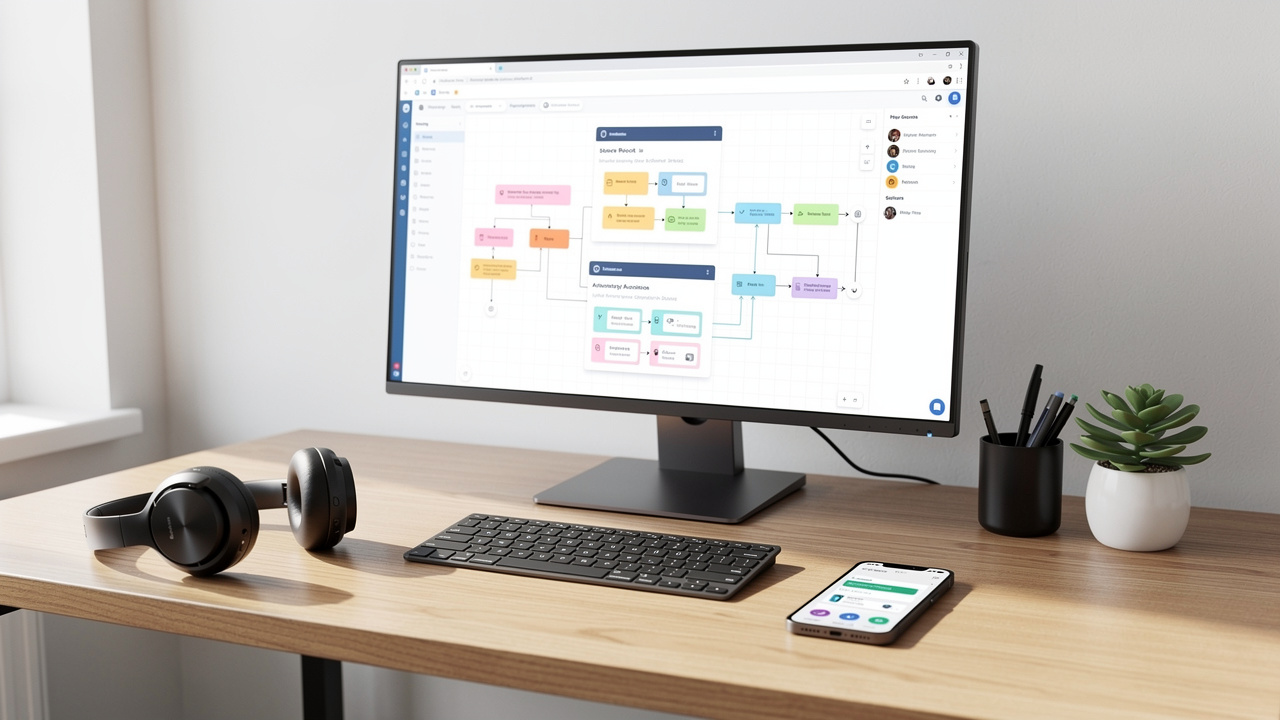
Automation in cold calling is not about replacing reps. It is about removing low-value, repetitive tasks so humans can focus on real conversations. Smart automation also improves data accuracy, since software handles logging and reminders better than memory ever could.
The right level of automation depends on team size, volume, and deal value. High-volume teams may lean more on power or predictive dialers and voicemail drop. Enterprise teams may automate less around dialing but more around follow-up and data enrichment.
The key is to keep the human touch at the center. Automation should handle dialing, logging, and nudging. Reps handle listening, problem-solving, and closing.
Automated Dialers And Voicemail Management
Automated dialers boost productive talk time by removing the dead space between calls. Power dialers present the next number as soon as a call ends, letting the rep control the pace while staying in a flow. Predictive dialers take this further for large teams, dialing multiple numbers and connecting reps only when someone answers.
This approach can reclaim thirty to sixty minutes of productive time per rep per day, which adds up fast over a month. Voicemail drop adds another time saver. Since a large share of calls still go to voicemail, reps can press one button to leave a pre-recorded, still human-sounding message and move on.
To keep this approach respectful and effective, teams should record messages that sound personal and clear, with a simple call to action. For very high-value targets, manual dialing and fully custom voicemails may still be the better path, even inside a broader automated system.
Automatic Call Logging And Data Capture
Manual logging is both boring and unreliable. Automatic logging solves this. Once the dialer and CRM are connected, each call should create an activity entry with date, time, duration, direction, and phone number. If calls are recorded, a link can be attached too.
Reps still add the human context—choosing the disposition and writing notes—but they no longer worry about whether the call itself is stored. This cuts down on missing data and lets managers trust that activity reports reflect reality.
When teams adopt automatic logging, reps often save fifteen to thirty percent of the time they used to spend typing or cleaning up notes later. That time can move back into prospect research or extra talk time, which has a direct impact on pipeline.
Automated Reminders And Follow-Up Workflows
Follow-up is another area where automation shines. When a rep ends a call with a “call me next month,” the system can create a task due on that date. Email, desktop, or mobile alerts then nudge the rep when the day arrives.
Calendar integration means that when a meeting is booked from a call, invites land in everyone’s calendars without extra steps. Simple workflow rules can say, for example, “If disposition is Follow-Up Required, create a call task in three days.” For certain outcomes, such as “Interested but needs more info,” an automatic email with a case study or one-pager can go out right after the call.
Managers also gain visibility into follow-up adherence. They can see which reps complete tasks on time and which need help with load or organization. Automated escalation rules can flag overdue tasks on key accounts, protecting hard-won interest from slipping away.
AI-Powered Lead Qualification And Prioritization
AI now plays a growing role in helping reps decide who to call first. When new leads enter the system, AI-powered enrichment can add company size, industry, technology stack, and other firmographic data. This avoids manual research and sharpens fit scoring.
Machine learning models can assign a likelihood-to-convert score based on patterns in past closed-won deals and engagement behavior. The dialer or CRM then orders each rep’s call list so the hottest leads rise to the top each day. Conversation intelligence can also flag calls with strong buying signals, signaling that an account should move to an account executive quickly.
These tools do not replace the rep’s judgment, but they keep the team focused on the highest-value targets. That focus often raises the output of cold calling programs without increasing hours.
Integrating Cold Call Tracking With Your Full Tech Stack
Cold call tracking becomes far more powerful when it connects to the rest of your sales and marketing tools. A call is rarely the only touch in a sales process. Emails, meetings, website visits, and even support tickets all shape a prospect’s view of your brand.
The aim is to create a single view of each contact and account. That means connecting the CRM, dialer, email, calendar, and sales engagement tools so they share data. With this setup, reps can see the full picture and act fast, instead of hunting through five systems.
A connected stack also cuts down on double entry and manual updates. Data flows where it needs to go, and leaders can report across channels with confidence.
CRM Integration As The Core Connection
The link between the dialer and the CRM is the backbone of integrated cold call tracking. It should work both ways. Reps should be able to click to call from any contact, company, or deal record. As soon as the call ends, a completed activity with all call details should appear on that same record.
Screen-pop behavior during calls should pull in the full CRM record, so reps see past interactions, open deals, and key notes. Custom field mapping keeps organization-specific data, such as segment tags or account owners, in sync.
Most modern CRMs such as HubSpot, Salesforce, and Pipedrive offer native integrations with popular dialers or even built-in calling. Real-time sync is better than scheduled syncs for active calling teams, since it keeps data fresh for everyone.
Calendar And Email Platform Integration
Calendar and email sit right beside calls during prospecting. When a rep books a demo or discovery call, they should be able to create the event from the same interface they are using for calling. The event then blocks the time on both sides and attaches to the contact or deal.
Email integration lets reps send follow-ups from inside the CRM or dialer, with messages logged on the timeline. Email opens, clicks, and replies add more context to cold call tracking data, highlighting engaged leads. Google Workspace and Microsoft 365 both support deep links with leading CRMs and calling tools.
With calls, emails, and meetings in one place, reps get a clean view of the past. Managers can see which sequences of touches work best and adjust cadences over time.
Sales Engagement Platform Integration
For many teams, cold calling is one step in a broader outbound cadence that includes email and social touches. Sales engagement platforms like Outreach and SalesLoft coordinate these steps. When dialers connect directly into these platforms, calls can be inserted as timed steps within a sequence.
This means a rep might send an email on day one, call on day three, send a LinkedIn message on day four, and call again on day seven, all from one screen. Performance data for each step, including calls, rolls up into one view. This makes it easier to compare full cadences, not just single touches, and to avoid overlapping outreach from different reps or teams.
Communication And Collaboration Tools
Team chat tools such as Slack and Microsoft Teams keep everyone in the loop about important calling events. Integrations can send automatic messages to a channel when a new meeting is booked, a hot lead calls in, or a high-value prospect is missed.
These channels also create space for sharing call wins, scripts, and lessons. Managers can keep an eye on trends and jump in quickly when they see multiple reps struggling with a new objection. Marketing teams can watch for feedback on campaign leads and adjust messaging based on what prospects say on the phone. All of this keeps cold call tracking connected to the wider go-to-market effort.
Common Cold Call Tracking Mistakes To Avoid
Good tools and plans do not guarantee success. Many teams run into the same pitfalls when they start tracking cold calls. Knowing these ahead of time can save time, money, and frustration.
Some mistakes are about focus, such as chasing big activity numbers that do not relate to revenue. Others are about complexity, where too many tools and fields scare reps away from logging anything. Still others come from neglecting data quality or training, which quietly erode the value of the entire system.
By watching for these patterns and correcting them early, leaders keep cold call tracking helpful rather than heavy.
Tracking Vanity Metrics Instead Of Revenue Drivers
It is easy to fall in love with activity dashboards that show thousands of dials and hours of talk time. These numbers look impressive but say little about whether the calling program is healthy. Focusing only on volume leads reps to rush through lists and check boxes.
Metrics such as total talk time or total contacts in the CRM can be especially misleading without context. What matters more is how those activities turn into meetings, opportunities, and revenue. Every key metric on a dashboard should tie back to part of the funnel that moves deals forward.
Leaders should audit their reports regularly. If a metric does not guide a real decision or coaching action, it may belong in a background report instead of the main view. Keeping the spotlight on revenue drivers prevents cold call tracking from becoming a scorecard with no meaning.
Over-Complicating The Tech Stack
Another common trap is building a stack with more tools than the team can reasonably use. Feature-rich platforms look appealing during demos, but in practice, reps may only need a subset of those options. Each extra tool adds logins, training, and potential integration failures.
Integration chains with many small tools are fragile. When one link breaks, data stops flowing, and trust in reports drops. Training new hires on a complex mix of platforms also slows ramp time and adds frustration.
A better path is to start with a simple, integrated combo of CRM and dialer, plus a clear process. As the team matures, add new features only when there is a clear use case and measurable gain. Prioritizing reliability and ease over long feature checklists keeps adoption high and data flowing.
Neglecting Data Quality And Hygiene
Even with the right tools, sloppy data practices can wipe out the benefits of cold call tracking. Duplicate records, outdated numbers, and missing notes make it hard to trust any report. Over time, reps may stop relying on the system and go back to personal trackers.
Without agreed standards, each rep may log outcomes and notes differently. One writes “VM,” another writes “left vm,” and a third writes nothing. This makes aggregate reporting messy and hides patterns that could drive better decisions.
Leaders should treat data health as part of normal sales operations, not a one-time cleanup project. Simple routines such as monthly dedupe checks, list refreshes, and spot audits keep the database in good shape and keep analytics meaningful.
Failing To Train And Reinforce Best Practices
Buying software and holding one kickoff session is not enough. Reps need time to practice workflows, ask questions, and see how good tracking helps them personally. Without that, they may see tracking as extra work added on top of selling.
Managers play a key role here. If they do not review metrics and call logs in one-on-ones, or if they ignore the system during coaching, reps take the hint that tracking does not matter. Over time, logging quality drops, and reports become useless.
Ongoing training, refreshers after changes, and sharing real success stories tied to tracking keep standards alive. Appointing internal champions who enjoy the tools and can support peers also helps. When reps see that logging calls leads to better coaching and easier wins, they are far more likely to stay consistent.
The Future Of Cold Call Tracking With AI And Advanced Analytics
By 2026, AI is woven into many parts of sales work, and cold call tracking is no exception. Instead of a simple log of what happened, call data feeds systems that listen, analyze, and point reps toward better actions in real time.
Conversation intelligence tools turn audio into text and highlight key moments. Predictive models suggest which leads are worth another call and which objections signal real intent. These tools do not replace human reps. Instead, they act like a sharp assistant, watching patterns and surfacing helpful tips.
Teams that combine this kind of intelligence with a human-centered calling style gain a clear edge. They adapt faster, coach smarter, and create better experiences for buyers who are tired of generic pitches.
Conversation Intelligence And Real-Time Guidance
Modern conversation intelligence platforms automatically record and transcribe calls, then run natural language processing on the text. They can detect tone shifts, keywords, and mentions of competitors or pricing. Sentiment analysis flags moments where the prospect sounds excited, confused, or skeptical.
These tools also track which topics and phrases appear most often in successful calls. Over time, they show which questions open up real business pain and which lines shut down conversations. In live calls, some systems display real-time guidance, such as suggested questions, objection responses, or case studies based on what the prospect just said.
After the call, reps and managers receive summaries, highlight reels, and even suggested coaching points. Platforms like Gong, Chorus, and Wingman (and others in this space) help managers review more calls in less time. This spreads coaching energy across the whole team instead of focusing only on the loudest or newest reps.
Predictive Analytics And Lead Scoring
Predictive analytics looks across thousands of past calls, emails, and deals to spot patterns humans might miss. Machine learning models can find combinations of firm size, industry, role, engagement level, and call behavior that signal a high chance of conversion.
Instead of static lead scores based only on form fills, dynamic models update scores as prospects open emails, visit key pages, or show strong interest on calls. Reps receive ordered call lists each day with the best targets at the top, along with context on why those contacts matter.
These same models help with forecasting. By watching current activity and conversion from similar past periods, they can project likely pipeline and revenue more accurately than simple averages. They can even signal churn risk among current customers if call sentiment starts to trend negative over time.
The Human + AI Partnership In 2026 And Beyond
For all this technology, human connection is still at the heart of sales. AI is very good at handling data-heavy tasks: recording, summarizing, scoring, and suggesting. People are still far better at empathy, creative problem-solving, and building trust over time.
At Superhuman Prospecting, this thinking shows up in the H2H Sales Scripts methodology. Reps use conversation structures informed by data, but they speak in a natural, human way that respects each buyer’s situation. AI and tracking tools highlight what to focus on, while trained SDRs handle how to say it.
Organizations that treat AI as a partner, not a replacement, see the best results. Their reps become more like advisors, walking into each call with context, insight, and a clear reason to call. As tools evolve, these teams keep learning and adjusting while holding on to what never changes: people still buy from people they trust.
How Superhuman Prospecting Uses Tracking For Client Success
Many companies talk about cold call tracking. Superhuman Prospecting works in it every day on behalf of clients. As an outsourced SDR partner, Superhuman Prospecting builds, runs, and tracks outbound programs for B2B companies that want consistent pipeline without hiring and training large internal SDR teams.
What sets Superhuman Prospecting apart is the blend of human-centered calling and detailed reporting. Every call made by the US-based SDR team is logged, scored, and reviewed inside a custom reporting layer called the Supervision dashboard. A full-time quality control team listens, checks, and certifies leads and appointments so clients receive only high-value conversations.
Because contracts are month-to-month and transparent, data has to be strong. Clients see the same cold calling metrics that internal leaders would expect from their own teams: dials, connections, meetings, qualification notes, and more. This makes Superhuman Prospecting not just a calling shop, but a data partner for outbound growth.
The Supervision Dashboard For Transparency And Real-Time Intelligence
The Supervision dashboard is where clients see their campaigns in action. Instead of waiting for end-of-month summaries, they can log in any time and watch results unfold. They see current lead lists, up-to-date contact info, and detailed notes from each call.
Every interaction is tagged with dispositions, qualifying questions, appointment type, and SDR objection responses. Clients can filter by industry, territory, rep, or campaign, then export slices of data for deeper analysis. Charts and tables show key cold call tracking metrics such as connection rate, meeting rate, and qualified pipeline created.
This level of visibility removes the “black box” feeling that many companies have with outsourced outbound. When a client of Superhuman Prospecting sees a spike in meetings from a certain segment, they can adjust their own marketing or sales resources to match. When they see a topic appear in objections, they can update their messaging or product. The dashboard supports mutual accountability and shared learning rather than one-sided reports.
H2H Sales Script Methodology For Quality Conversations And Quality Data
Accurate tracking matters, but what the rep actually says on the call matters just as much. Superhuman Prospecting trains every SDR in the H2H (Human-to-Human) Sales Scripts methodology. This approach focuses on natural language, clear value, and real listening instead of robotic pitches.
Because reps run better conversations, they collect better data. Prospects share real pain points, buying processes, and timelines. SDRs log this information carefully, feeding richer sales call analytics back to clients. Notes capture not only whether someone is interested, but why and under what conditions.
This creates a loop where quality conversations drive quality data, which then powers better coaching and campaign adjustments. Clients often report faster time-to-ROI and more helpful appointments because Superhuman Prospecting does not chase meetings at any cost. The H2H approach, backed by disciplined cold call tracking, leads to pipelines filled with high-intent conversations rather than random “maybe” calls that waste account executives’ time.
Conclusion
Cold calling is not dead. Untracked, random cold calling should be. In 2026, the teams that win treat every dial and every conversation as a data point that can improve the next one. Smart cold call tracking turns a noisy activity into a clear, measurable revenue channel.
By setting up the right mix of CRM, dialer, and integrations, defining clean workflows, and focusing on a small set of powerful metrics, sales leaders can move from guesswork to guidance. Automation takes care of repetitive dialing, logging, and reminders, while AI highlights patterns and suggests better moves. Reps stay free to do what only humans can do well: connect, listen, and help.
For many B2B companies, building all of this in-house is tough. Partners like Superhuman Prospecting bring proven H2H scripts, US-based SDR teams, and real-time tracking through the Supervision dashboard so leaders can see and shape outcomes without adding permanent headcount. Whether handled internally or with a partner, the message is the same. When data and human skill work together, cold calling stops being a numbers game and starts becoming a predictable, scalable part of revenue growth.
FAQs
What Is Cold Call Tracking In Simple Terms?
Cold call tracking is the way a company records and reviews everything that happens during outbound sales calls. It covers who was called, whether they answered, what was discussed, and what happened next. Instead of scattered notes, all of this lives in one system so leaders and reps can see patterns and improve results.
Do Small Teams Really Need Cold Call Tracking Software?
Yes, even small teams benefit from basic tracking. A simple CRM and dialer link can replace messy spreadsheets and missing notes. This helps a founder or small sales team see which lists, messages, and times of day work best, so they can grow faster with less trial and error.
How Is Cold Call Tracking Different From Just Counting Dials?
Counting dials only shows effort. Cold call tracking goes further by connecting dials to connections, meetings, opportunities, and revenue. It shows which calls matter, not just how many happened. This makes it possible to coach reps, improve scripts, and forecast revenue from outbound work.
What Metrics Should I Start With If I Am New To Tracking?
Start with a small set of numbers. Track dials per day, connection rate, meetings per conversation, and opportunities created from cold calls. As you get comfortable, add metrics like win rate for cold-sourced deals and dials-to-closure ratio. Keep the focus on numbers that relate directly to pipeline and revenue.
How Does Superhuman Prospecting Support Cold Call Tracking For Clients?
Superhuman Prospecting runs outbound calling with a trained US-based SDR team and tracks every call inside its Supervision dashboard. Clients see real-time data on dials, outcomes, notes, and qualified appointments. The H2H Sales Scripts methodology keeps conversations human, while detailed tracking and quality control make the data reliable for coaching and planning.